Convert USB Keyboards to Bluetooth with ESP32: A Wireless DIY Guide
Eleanor Vance ·
Listen to this article~5 min
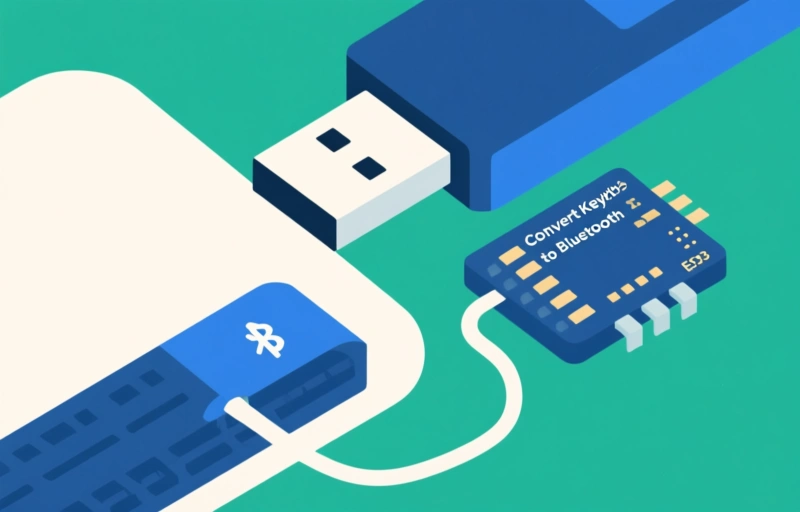
Learn how to convert any USB keyboard to Bluetooth using an affordable ESP32 microcontroller. This DIY guide explains the process, benefits, and practical applications for wireless networking professionals.
You know that feeling when you've got a perfectly good USB keyboard collecting dust because you've switched to a device with only Bluetooth? It happens more often than you'd think. Maybe you've got a favorite mechanical keyboard with that perfect tactile feel, but your new tablet or smart TV doesn't have USB ports. Or perhaps you're just tired of cable clutter on your desk.
Well, here's some good news: you don't need to buy a new wireless keyboard. With a tiny, affordable ESP32 microcontroller, you can give almost any USB keyboard a second life as a Bluetooth device. It's one of those projects that sounds complicated but is surprisingly accessible.
### Why Bother Converting Wired Keyboards?
Let's be honest—good keyboards aren't cheap. Mechanical keyboards with quality switches can cost hundreds of dollars. Throwing them away because they're wired feels wasteful when the electronics inside are still perfectly functional. Beyond the financial aspect, there's the muscle memory factor. You've spent years getting used to a particular keyboard's layout, key spacing, and feedback.
Starting fresh with a different wireless model means retraining your fingers. Converting your existing keyboard preserves that hard-earned familiarity while adding modern wireless convenience. It's the best of both worlds, really.
### The ESP32: Your Wireless Conversion Tool
The ESP32 is a remarkable little chip that's changed the DIY electronics landscape. For just a few dollars, you get built-in Wi-Fi and Bluetooth capabilities, plus enough processing power to handle keyboard protocols. What makes it particularly suited for this project is its USB host capability—something earlier microcontrollers lacked.
Think of the ESP32 as a translator. It speaks both "USB keyboard language" and "Bluetooth language," converting signals between the two protocols seamlessly. You're not modifying the keyboard itself; you're adding an adapter that handles the communication conversion.
### What You'll Need for This Project
Getting started is simpler than you might expect. The component list is refreshingly short:
- An ESP32 development board (the ESP32-S2 or ESP32-S3 variants work best)
- Your USB keyboard (most standard models are compatible)
- A USB OTG (On-The-Go) adapter cable
- Basic soldering equipment if you want a permanent solution
- The open-source firmware available from the developer community
One developer put it perfectly: "The beauty of this project is that it breathes new life into hardware that would otherwise become e-waste. We're not just making things wireless—we're practicing sustainability through technology."
### The Conversion Process Explained
Here's the general workflow, though specific steps depend on your keyboard model. First, you'll flash the ESP32 with special firmware designed for USB-to-Bluetooth conversion. This firmware is open-source and constantly improved by the community. Next, you'll connect your keyboard to the ESP32 using the USB OTG cable.
The ESP32 then pairs with your computer, tablet, or phone just like any other Bluetooth keyboard. Once paired, every keystroke travels from your keyboard through the ESP32 and wirelessly to your device. The latency is surprisingly low—most users report no noticeable delay in typing.
### Practical Applications Beyond Convenience
This isn't just about decluttering your desk (though that's a nice bonus). Converted keyboards open up interesting possibilities. Use your favorite keyboard with gaming consoles that support Bluetooth accessories. Control media centers or smart TVs from across the room. Create portable typing solutions for tablets without sacrificing keyboard quality.
For IT professionals and network specialists, there's another angle: repurposing older enterprise keyboards for testing stations or temporary workstations. Instead of buying new wireless peripherals for every testing scenario, convert existing inventory.
### Potential Limitations to Consider
No solution is perfect, and this one has some constraints. Very old keyboards with proprietary protocols might not work. Some gaming keyboards with extensive macro functionality might lose those features during conversion. Power consumption is minimal but exists—the ESP32 needs power, usually from a small battery or USB power bank for truly wireless operation.
Keyboard lighting (RGB or otherwise) often won't transfer through the conversion unless specifically programmed. And while the ESP32 supports connecting to multiple devices, switching between them isn't always as seamless as commercial multi-device keyboards.
### The Bigger Picture: Right to Repair and Sustainability
Projects like this fit perfectly into the right-to-repair movement. Instead of accepting that wired peripherals become obsolete when devices lose USB ports, we're taking control. We're extending product lifespans, reducing electronic waste, and saving money in the process.
Each converted keyboard is one less peripheral in a landfill and one less new product manufactured. For wireless networking professionals, there's satisfaction in understanding exactly how the Bluetooth protocol works at this level—it's continuing education disguised as a practical project.
So next time you're about to retire a trusted keyboard because it's "just wired," remember the ESP32 option. With minimal investment and moderate technical skill, you can maintain your typing comfort while embracing wireless convenience. Your fingers—and the planet—will thank you.