USB Hotspot Connections: Your Wireless Lifeline Explained
Sarah Mitchell ·
Listen to this article~5 min
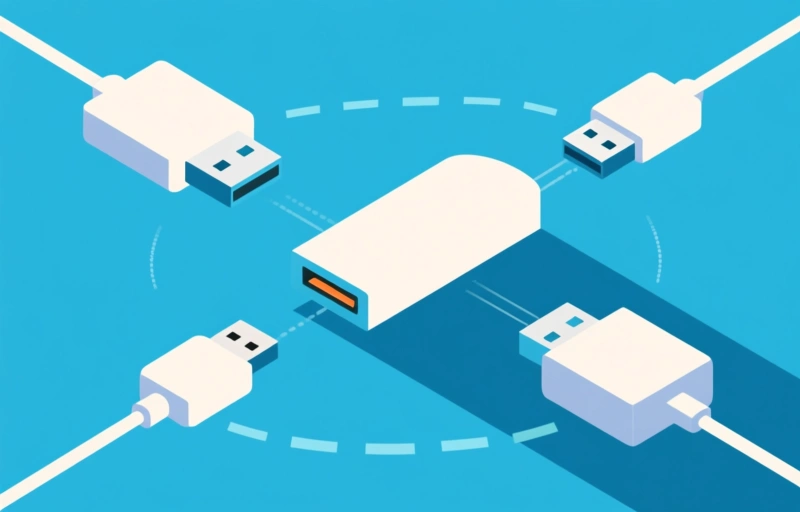
USB hotspot connections are your portable internet lifeline. We break down how they work, their pros and cons, and what to look for as wireless tech evolves toward 2026.
Let's be real for a second. We've all been there. You're at a coffee shop, the airport, or maybe a park, and you desperately need internet. Your phone's data is running low, but you spot that magical phrase: 'Free Wi-Fi.' Or maybe you've seen those little USB dongles people plug into their laptops. What's the deal with those? I'm talking about USB hotspot connections, and they're more relevant than ever as we look toward 2026's wireless landscape.
It's not just tech jargon. This is about staying connected when it matters most. Whether you're a remote worker, a student, or just someone who hates being offline, understanding this tech can save your day. So, grab your coffee, and let's break it down like we're just chatting.
### What Exactly Is a USB Hotspot?
Think of it as a tiny, portable bridge to the internet. A USB hotspot device, often called a 'dongle' or 'modem stick,' plugs directly into your laptop's USB port. It doesn't create a network from your phone. Instead, it contains its own SIM card and connects directly to cellular networks—just like your phone does—to give you internet access. It's a dedicated, on-the-go connection that lives in your bag.
Why would you use one instead of your phone's hotspot? Good question. Sometimes your phone battery is precious. Other times, you need a more stable, dedicated connection for important video calls or large file transfers. These little gadgets have one job, and they often do it very well.
### The Pros and Cons of Going the USB Route
Let's weigh the options, shall we? Nothing's perfect, and that's okay. Knowing the trade-offs helps you choose what's right for you.
- **Pro: Dedicated Power.** It doesn't drain your phone's battery. Your laptop powers it, so you can keep your phone for, you know, actual phone stuff.
- **Pro: Often Better Performance.** Some models can latch onto stronger cellular signals or newer network tech than older phones might.
- **Con: One More Thing to Carry.** It's small, but it's another item you have to remember and potentially lose.
- **Con: Extra Cost.** You'll need a separate data plan from a carrier, which can run you anywhere from $10 to $50+ per month depending on usage.
- **Con: Device Compatibility.** While most work with Windows and macOS, always double-check before you buy.
As one network engineer I chatted with put it: 'A USB hotspot is like a dedicated lane on the highway. Your phone's hotspot is the carpool lane—it works, but it's sharing resources.' That's a helpful way to picture it.
### Choosing the Right Solution for 2026 and Beyond
The tech isn't standing still. As we move toward 2026, wireless solutions are getting smarter and faster. When you're shopping for a USB hotspot device, you're not just buying for today. You're future-proofing your connectivity. Look for devices that support the latest cellular standards, like 5G. While 5G coverage is still rolling out across the U.S., having a device that can use it means you're ready when the faster speeds arrive in your area.
Also, consider data caps. If you're a heavy user—streaming, downloading, video conferencing—you'll want an unlimited plan or one with a very high data allowance (think 50GB or more). For lighter use, a smaller plan might save you money. It's all about matching the tool to the task.
### Making It Work For You
Setting one up is usually a breeze. Plug it in, install any simple software it needs (this often happens automatically), and you're online. The key is placement. Just like your phone, these devices need a decent signal. Try placing your laptop near a window if you're struggling. It can make a world of difference.
So, is a USB hotspot connection right for you? If you find yourself constantly tethering your phone, needing more reliable internet on the move, or working in areas with spotty public Wi-Fi, it might just be your new best friend. It's a simple, focused piece of tech that solves one problem beautifully: keeping you connected, no matter where your day takes you. And in a world that runs on Wi-Fi, that's a pretty powerful thing to have in your pocket—or rather, in your USB port.